 Proudly Canadian

“FlagShip has optimized and simplified our shipping process. The platform allows us to improve our operational efficiency and increase productivity, without added complexity.”
– Maxime Girouard, Président – Prologik Solution de sécurité haut de gamme

Small business shipping, designed for FCCQ members
Exclusive Rates + Smart Shipping Tools + Canadian Support
Since 2014, FlagShip has partnered with FCCQ to simplify shipping for members like you — offering exclusive savings on brand-name couriers, powerful time-saving tools, and responsive Canadian support, all through a free, no-obligation account.
FlagShip is an authorized reseller for:

Discover how FlagShip simplifies shipping for FCCQ businesses like yours


“FlagShip is one of the two best partnership programs offered to our Chambers network. Local Chambers and their members benefit from a strong partnership with a solid and high reputation program.”
– Jean-Guy Delorme, VP Network / Chief of Operations
FlagShip, a Canadian-owned shipping platform and courier reseller, has teamed up with FCCQ to give members access to:

Exclusive, discounted business shipping rates that save you up to 70%*

Dependable small business shipping services to anywhere in the world

An easy-to-use, all-in-one shipping platform with rate comparisons and tools to manage all your shipments

Live support for all your shipping from FlagShip’s Canadian team of small business shipping experts
*Compared to regular courier rates
FCCQ members enjoy FlagShip perks


Compare rates on one screen
As an authorized reseller for major couriers, FlagShip lets you compare and choose discounted rates from trusted carriers on a single screen.
Bring all your shipping together
FlagShip brings all your shipping together in our easy online platform and mobile app, so you can manage shipments, receive consolidated invoices, and more.

Save on optional shipping insurance
The typical maximum liability for an uninsured shipment is $100 CAD. With FlagShip, you can add coverage — and peace of mind — at discounted rates.

Get support for all your couriers
With FlagShip, you never have to contact couriers directly. Our live team of experts is your single point of contact for support for all your shipping.

Connect your eCommerce store
Use our free eCommerce integrations for today’s leading platforms to give your customers access to instant, accurate shipping rates./p>
One login, all your shipping in one place
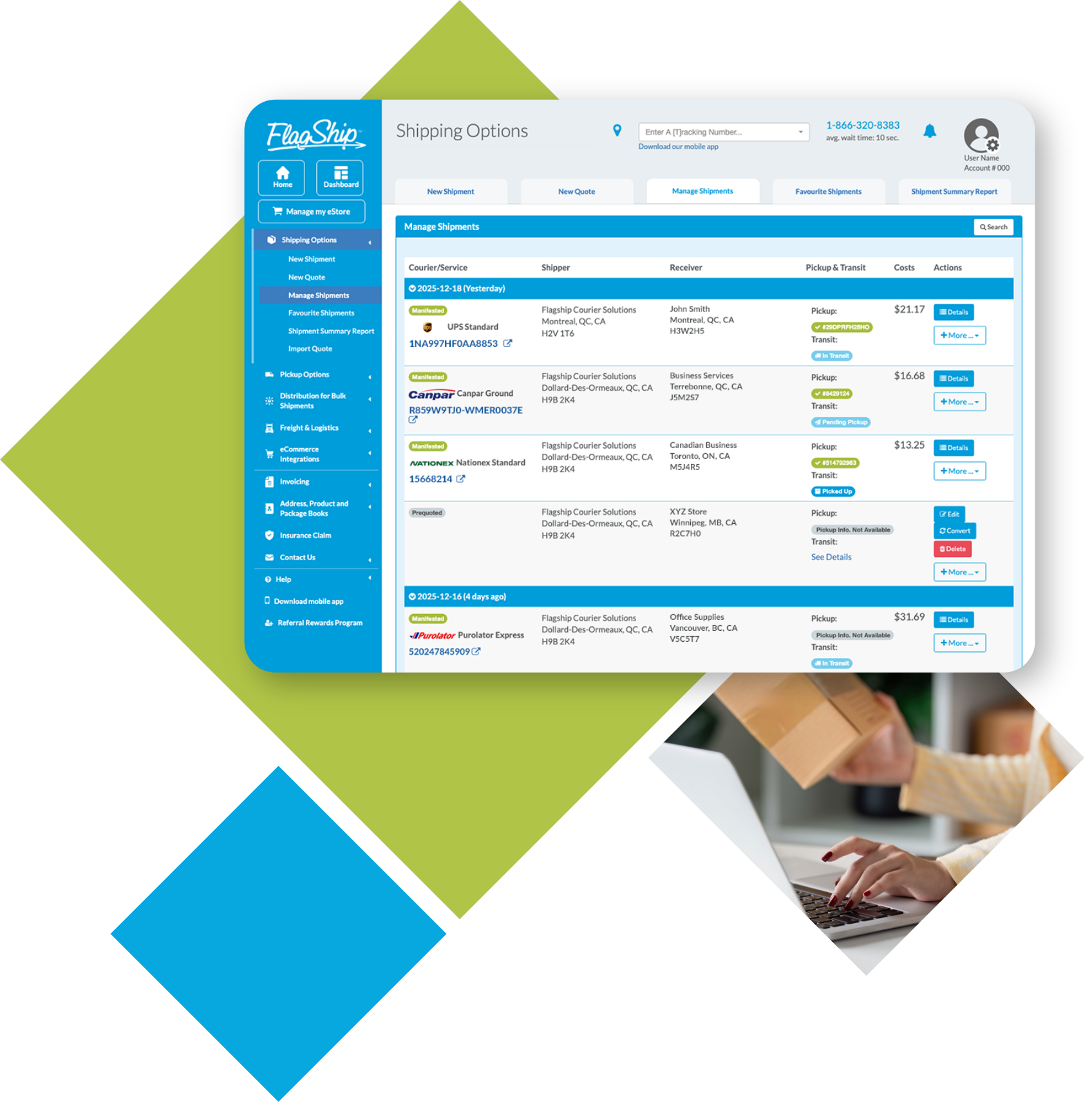
With a free account for FCCQ members, you get access to FlagShip’s easy-to-use online shipping platform, where you can streamline all your shipping activity in one place:
- Schedule pickups at no extra cost
- See live transit status and track all your shipments
- Store and manage contacts and shipping addresses
- Duplicate or cancel shipments
- Create bulk shipments of identical packages using one simple process
- View shipping totals and get one consolidated invoice for all your shipping
“Chambers of Commerce play a vital role in supporting local businesses, and we’re proud to be a shipping partner that helps their members operate more efficiently and competitively.”
– France Zacharakis, FlagShip Partnership Program Lead
How to start shipping with FlagShip
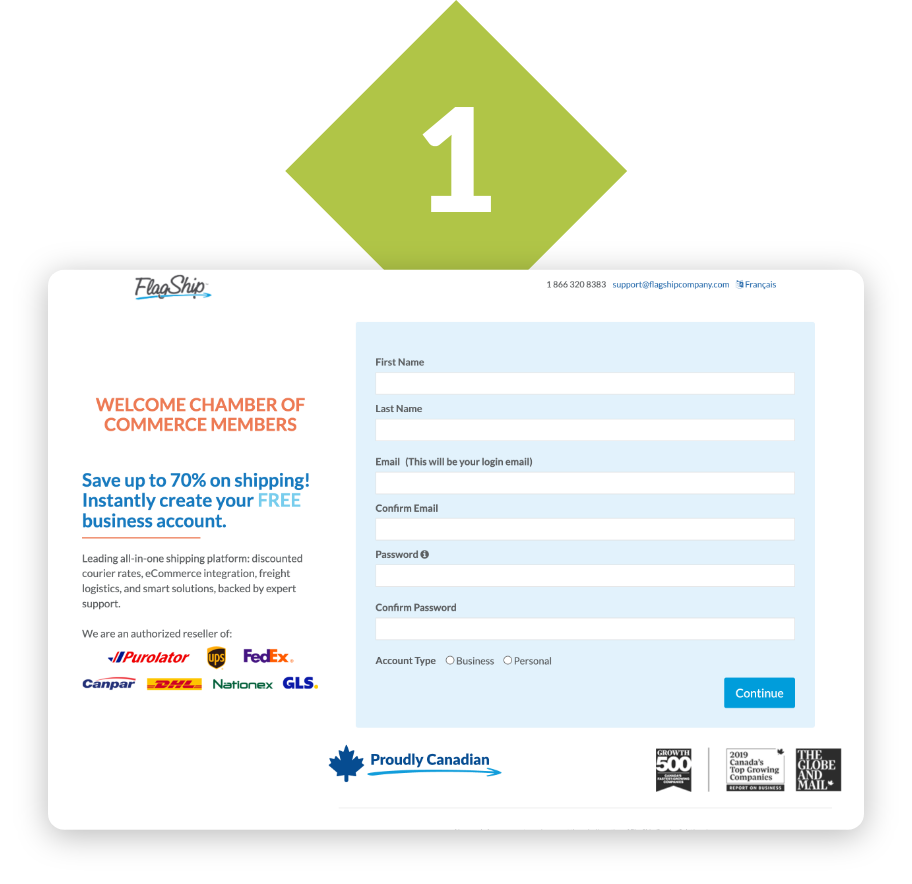
Sign up for free
Create a free FlagShip business account on our FCCQ sign-up page — no subscription, contract or obligations, just access to your exclusive FCCQ member rates.
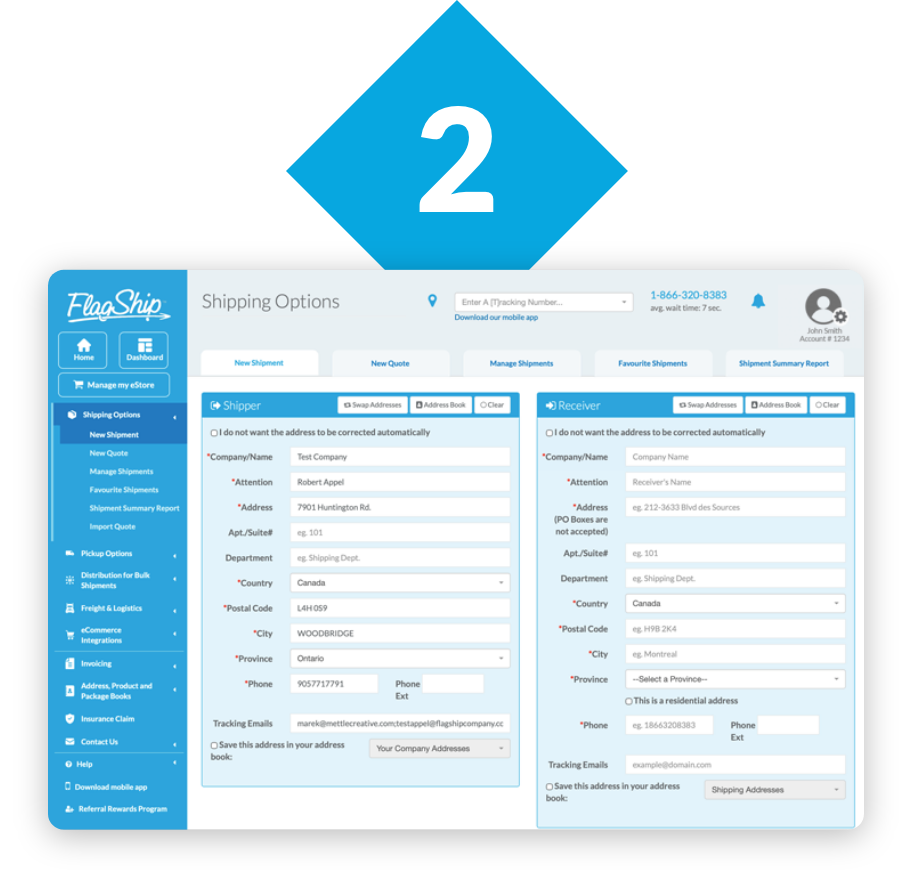
Start your first quote
Enter your shipment details — including origin, destination, size, and weight — and choose options like shipping insurance, then we’ll instantly fetch your rates.
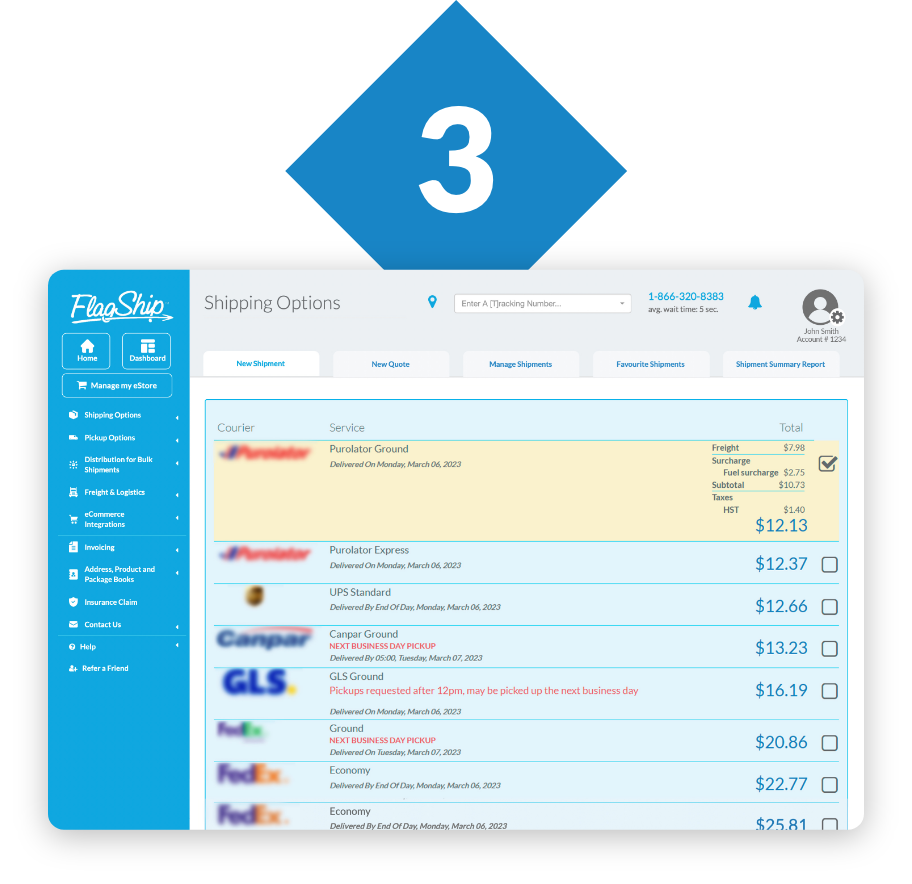
Compare rates
Compare discounted rates and services from our complete lineup of trusted couriers, then choose the one that’s right for you.
Questions?
Don’t hesitate to reach out to our live support team for questions or help with setting up your account and starting your first shipment.
1-866-320-8383
Frequently asked questions
FCCQ members can access preferred shipping rates through the FlagShip shipping system. To start saving, simply create your no-obligation account via our dedicated member portal:
www.flagshipcompany.com/chamberofcommerce
Once registered, you can instantly compare rates from top couriers and choose the service that best fits your needs.
Yes. A member of our team will contact you by email to confirm which Chamber of Commerce you belong to.
Should you require additional coverage FlagShip offers in house insurance at a rate of $1.25 per $100 of insurance purchased. This can be selected at the time of creating your online shipment. Learn more about our shipping insurance program.
Yes. You can use the FlagShip online shipping system to ship anywhere in the world that any of our couriers deliver. To create an international shipment, simply click on the drop down box for the receiver’s country in the “Receiver” section and choose the country that you want to ship to. If the country you are looking for is not on the list it means that the couriers do not offer services in that location.
Learn more about FlagShip’s international shipping services.
When you connect your eCommerce website with FlagShip, you can provide instant, accurate shipping rates to your customers. Then let you website do the work for you, making it easy to process and organize your shipments. Take the hassle out of your eCommerce shipping! Shipping for eCommerce with FlagShip will save you time and money. All it takes is a FREE FlagShip account and one of our plug-and-play integrations.
A pickup can automatically be scheduled through the FlagShip online shipping system when a new shipment is created. If for any reason you do not want a pickup, you must click “Do not schedule an automatic pickup”.
If you would like to schedule a pickup at a different location, you can do so by clicking the pick-up tab and schedule a pickup. If one of your pickups fail and you would like to try again for a new time or date, you can do so at the same place. If at any time you need help to schedule a pickup, please call FlagShip customer support at 1-866-320-8383 and we will be happy to help you.
Tracking your shipment is very simple. When you are inside the FlagShip online shipping system, simply click on the word “Shipping” in the menu bar on the left and click on “Manage Shipments” in the drop down. In the upper right-hand corner of the screen, you will find the “Search” button which will open up all the various search options. Enter in the proper filters to find your shipment and, once the shipment appears, click on the blue tracking number and you will be brought directly to the courier’s website where you can see all of the tracking information.
TIP: If you know the tracking number, you can enter it at the top of any page in the tracking number box.